SOMA Risk Studio · V2.12.1

Quantitative risk analysis built for traceable review.

Four framework assessments. A deterministic Monte Carlo engine. Every figure traced to its source row — built for the scrutiny UK infrastructure programmes face.

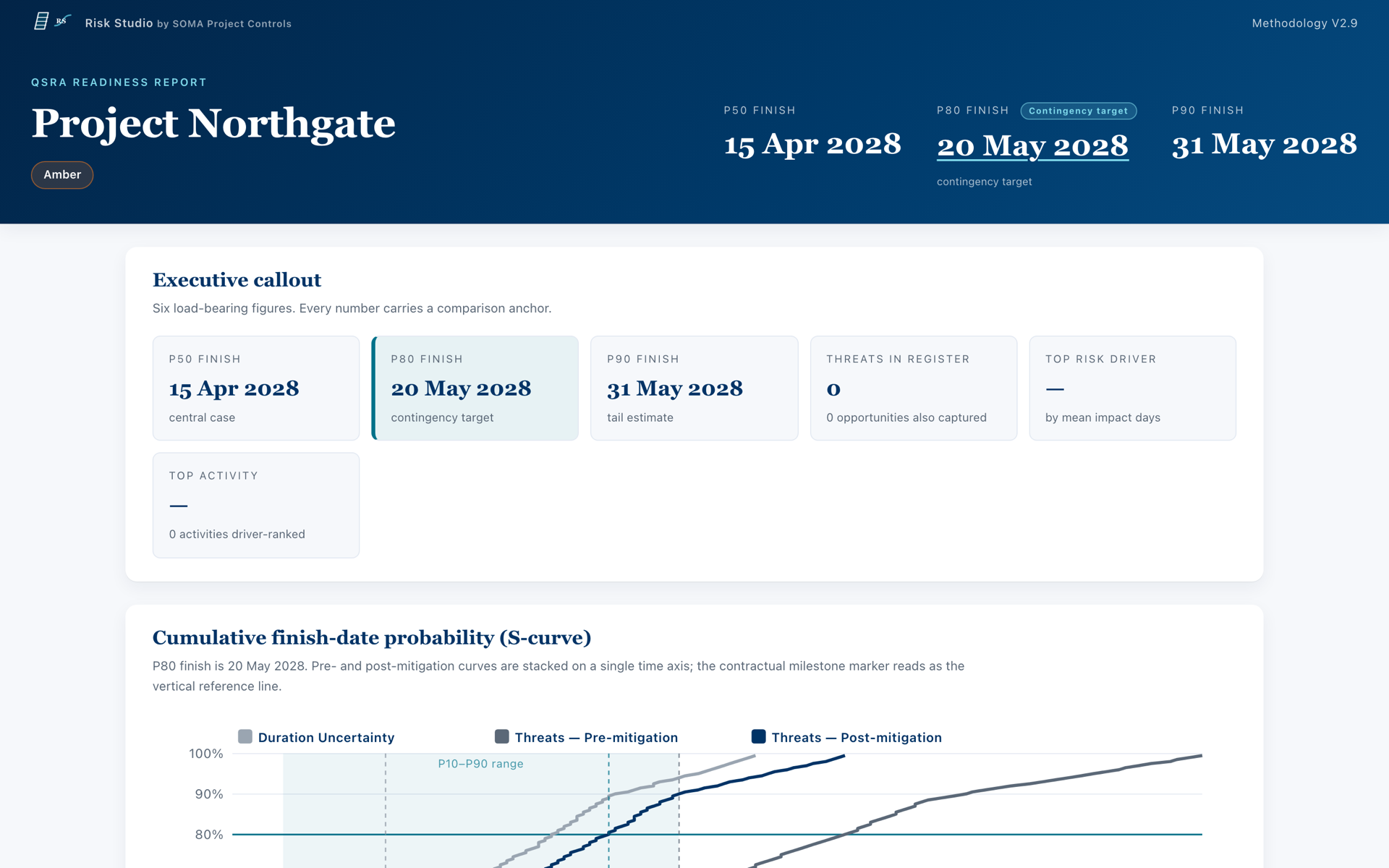
Risk Studio Weblink deliverable dashboard — KPI tiles, S-curve and risk drivers
Schedule Lens diagnostic view — time-scaled Gantt with critical-path bars and WBS tree
Risk Studio · input to deliverableSchedule Lens in front, Weblink dashboard behind — every layer of the workflow on the same audit chain.
Product tour

From reference input to traceable draft output.

A representative view of the product. It plays as it scrolls into view — and stays stopped if your device prefers reduced motion.

Static preview of the Weblink deliverable dashboard using reference data

The tour plays automatically when it scrolls into view, pauses off-screen, and never autoplays when your device prefers reduced motion.

Read the tour transcript
  1. Load approved reference inputs into Risk Studio.
  2. Review validation findings and trace each item to its source.
  3. Explore the schedule in Schedule Lens.
  4. Run the internal model as cross-check evidence only.
  5. Review traceable draft outputs alongside the approved external-engine result.

Reference data only. No client content is used on this public site.

75
automated checks across four frameworks
4.3sec
to render 5,869 activities in Schedule Lens
10,000+
automated tests guarding every candidate build
V2.12.1
current version · controlled availability
The problem

QSRA is too important to do this way.

Every QSRA we inherit slows down in the same three places. They cost time the people best placed to fix the schedule can't get back.

01

Spreadsheets that don't validate themselves

Risk registers, three‑point estimates, correlation matrices — entered by hand, silently wrong. Errors don't surface until the model misbehaves — and a number you can't trace to its source row is a number you can't defend under IPA- or ONR-grade scrutiny.

02

Safran round‑trips that cost days

Build inputs, export, import, run, re‑export, re‑import. Every round‑trip is a chance to break the chain. By the time you're reporting, the schedule has moved on.

03

Frameworks checked manually, inconsistently

DCMA 14‑point, Acumen Fuse SQI, CIOB PP21, SOMA's own readiness checks. Different analysts apply them differently. Different schemes end up assessed against different bars.

The answer

One toolkit. Validate, model, report.

SOMA Risk Studio brings the QSRA assurance workflow into one place. Quality checks run as the team works. The internal Monte Carlo engine independently cross-checks quantitative results alongside the client's approved engine. Every output traces back to its source row.

You still run your approved engine of record — but validated inputs and an independent internal cross-check mean you stop discovering errors on the third round-trip.

  • Four input lanes — manual entry, paste‑in, standard template, or non‑standard importer.
  • Four validation frameworks running on the same schedule, every time: SOMA QSRA Readiness, DCMA 14‑point, CIOB PP21, Acumen Fuse SQI.
  • Internal Monte Carlo cross-check — Higham PSD repair, NORTA, six distributions and Spearman tornados.
  • Each run can produce five draft deliverable formats for supervised review: the Excel workbook (.xlsm), a Word report, a PPTX briefing, the interactive weblink (HTML) and PDF.
Risk Studio results view: Monte Carlo S-curve with P50, P80 and P90 finish-date markers for a fictional reference scheme
Risk Studio results · reference scheme · post-mitigationThe Studio's own S-curve. P50, P80 and P90 finish dates marked, with the deterministic baseline plotted underneath. Cross-check evidence only.
Try it

Drag a P‑value. See the date.

A worked example of how Risk Studio presents schedule risk, on demonstration data. Not a client result.

P80 · 03 Jan 2028
+114 days from deterministic baseline

Drag the marker, click the curve, or use ← / → keys.

Demo · demonstration data · M3 post‑mitigationThis illustrative curve is not a client result.
Multi-framework validation

75 checks. One dashboard. Each failure traced to a source row.

Pick the framework your client asks for. Or run all four. Every failed check explains why — and points to the exact row, column, or activity that caused it.

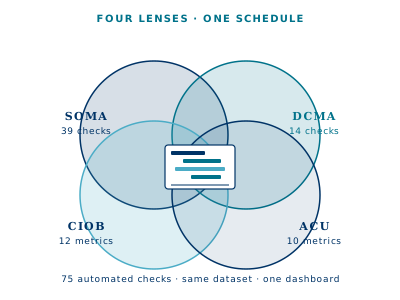
Four overlapping lenses (SOMA, DCMA, CIOB, ACU) converging on a single schedule — same data, four perspectives
SOMA
QSRA Readiness V2.9
39 checks

Proprietary internal readiness framework for controlled evaluation.

DCMA
14-point assessment
14 checks

Fourteen-point schedule assessment published by the US Defense Contract Management Agency.

CIOB
PP21
12 metrics

Chartered Institute of Building's planning protocol.

ACU
Acumen Fuse SQI
10 metrics

An internal metric view aligned to a ten-metric Fuse SQI set; not an official Deltek output.

Compare the four frameworks side by side →

Schedule Lens on a representative UK infrastructure scheme
Schedule Lens · reference viewReference-data view with predecessor, successor and validation traces.
Schedule Lens

See the schedule you've been asked to defend.

Time-scaled Gantt with hierarchical WBS, critical-path bars, milestone diamonds, open-end markers, dangling outlines, negative-lag flags. Click any activity for the full diagnostic trace — predecessor, successor, every check it failed.

5,869 activities · 4.3 sec
Measured internally on an approved reference dataset
Defensibility

Designed for traceable internal assurance.

Audit-replay archive

Every run is captured with a cryptographic chain. Re‑run any historic period and get byte‑identical outputs. No drift, no excuses.

Per-finding accept workflow

If a check failure is accepted within the controlled workflow, the reason is recorded in the audit log for supervised assurance review.

Traceability to source row

Every output value — every P50, every tornado bar, every band — traces back to the input row, activity ID, or model iteration that produced it.

Multi-user file locks + role identity

HMAC-chained audit log records who did what, when, on which scheme. Concurrent edits are file-locked. No phantom changes.

Evaluation evidence

Built from UK infrastructure assurance workflows.

The product is evaluated against reference and anonymised-composite workflows. This public site does not claim general availability and does not identify client schemes.

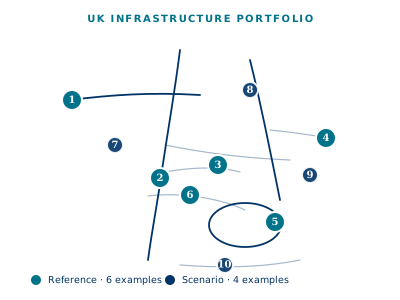
Abstract illustration of a fictional UK infrastructure portfolio
SOMA Risk Studio portfolio console — fictional reference portfolio
Portfolio console · reference viewA fictional reference portfolio used to explain the controlled workflow without client data.

Read the anonymised-composite workflow example →

Read the public evidence boundary →

Frameworks we run
SOMA QSRA Readiness V2.9DCMA 14-pointCIOB PP21Acumen Fuse SQI

75 checks across four published frameworks. Badges shown are SOMA‑designed monograms representing each public framework, not the standards bodies' own marks. Compare them →

Scheme request

Start with four fields, not a client file.

Send a scheme request — detailed setup follows once we've qualified fit together. Please keep schedules, risk registers, passwords and sensitive scheme detail out of the public form.

Trust & methodology: how we run the maths · how we handle your data · compare vs Safran, @RISK, Acumen · FAQ · what we're designing next